
How to Use Tempx Temporary Email: A Step-by-Step Tutorial
By Denis · Published 2026-09-14.
Temporary email is the kind of tool you want to work the first time you touch it, not after reading a manual. This tutorial walks through the whole flow with real screenshots: getting an address, using it on a signup form, receiving the verification code and reading it. Sixty seconds, start to finish.
Step 1. Open your inbox
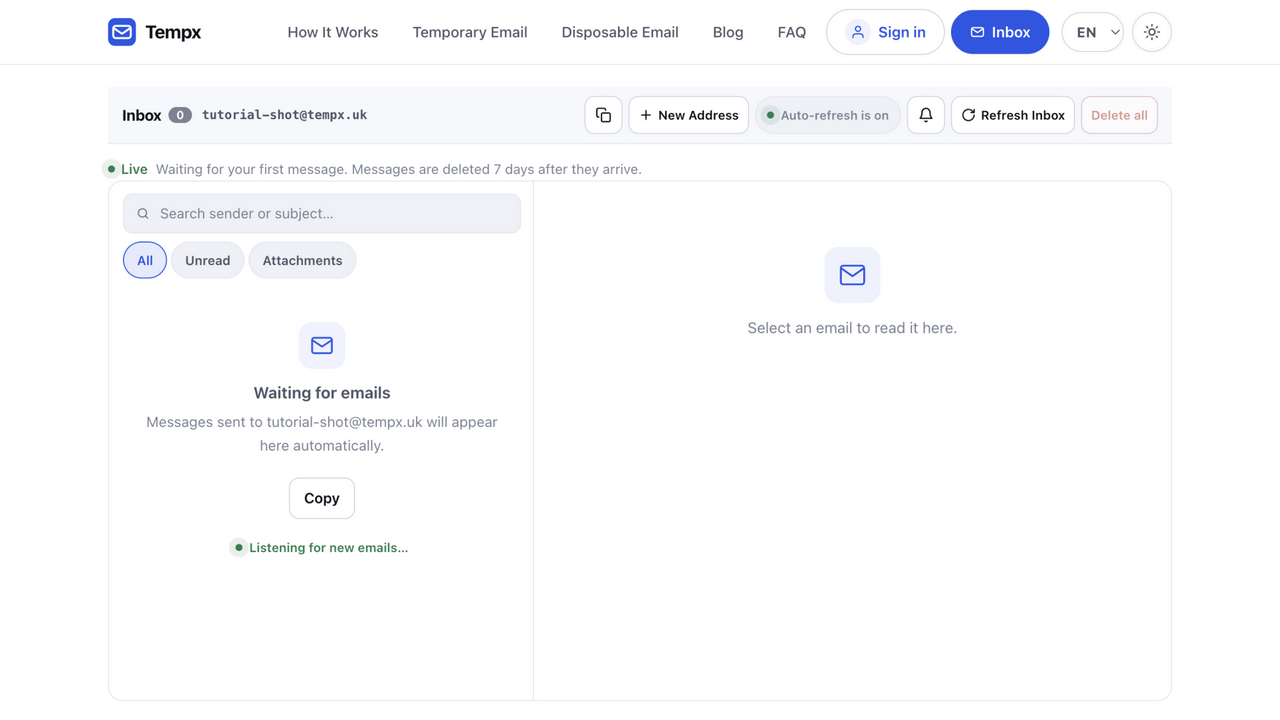
Go to tempx.uk/mail. A fresh inbox is generated the moment the page loads, no account, no form, not even a button to press. The address (something like brisk-quail-57@tempx.uk) is yours for as long as the inbox lives.
Step 2. Copy the address
Click the copy icon next to the address (or select the text). That is the entire setup step. If you ever want a different address, New Address generates one on the spot, useful when a signup form has already seen the previous one.
Step 3. Use it on any signup form
Paste the address wherever a site asks for email: a verification-gated download, a free trial, a forum registration, a one-time purchase discount. From the site's point of view it is a normal address, mail to it arrives over the regular email network.
Step 4. Watch the message arrive
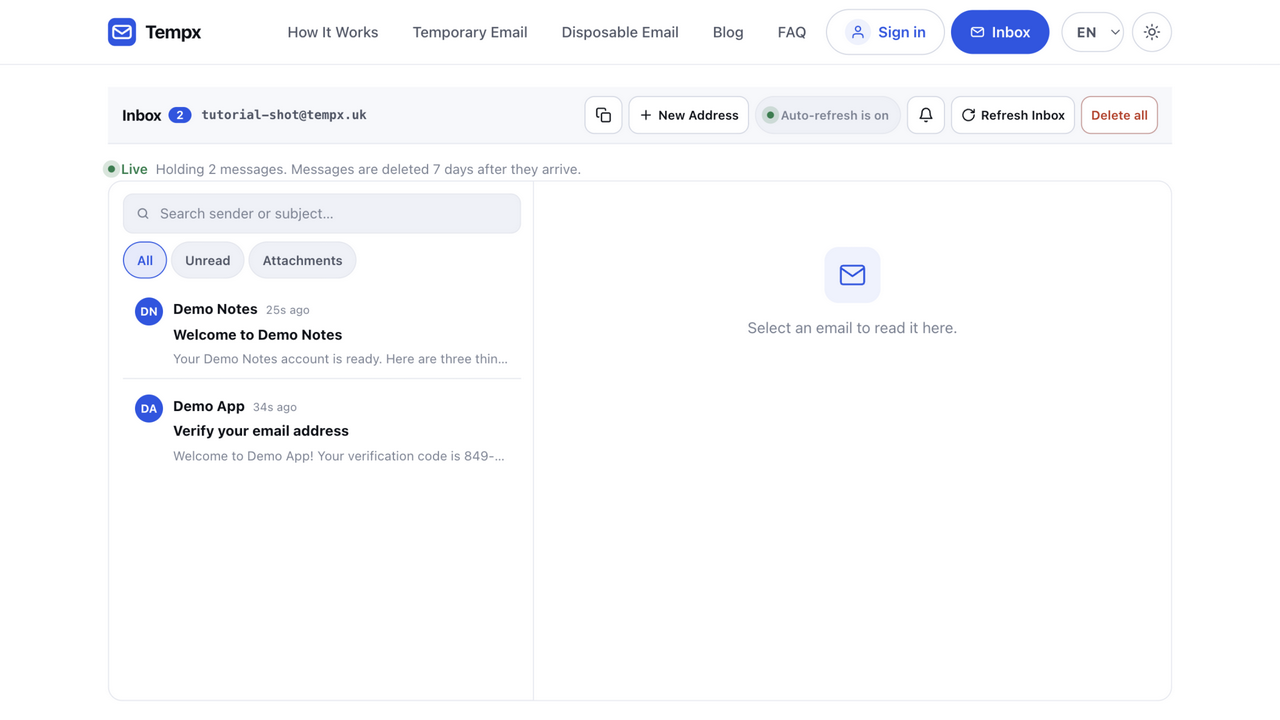
The inbox refreshes itself; there is nothing to reload. New messages show up as rows with the sender, subject and a preview. For this tutorial we signed up with two demo services (a welcome mail and a verification code) and both appeared within seconds:
Step 5. Open the message and take what you need
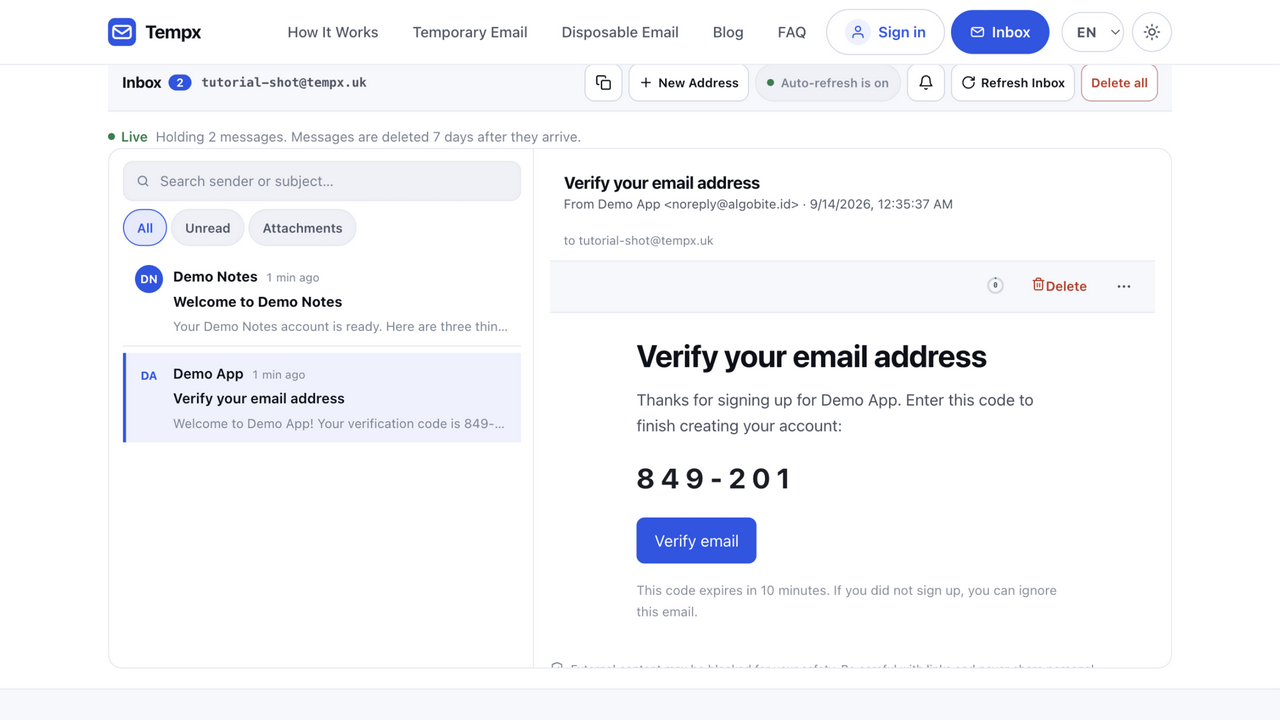
Click a row and the message opens in the reading pane: sender, recipient, full HTML body, links and attachments, rendered like any mail client. Here we opened the verification mail, the one-time code is right there, and the button works:
Step 6. Walk away
This is the step people forget to plan for with their real address: cleanup. With a temp inbox there is nothing to clean. Messages auto-delete when the inbox expires, and Delete all wipes everything at once if you prefer. Nothing to unsubscribe from, nothing to archive, no residue for next quarter's campaign.
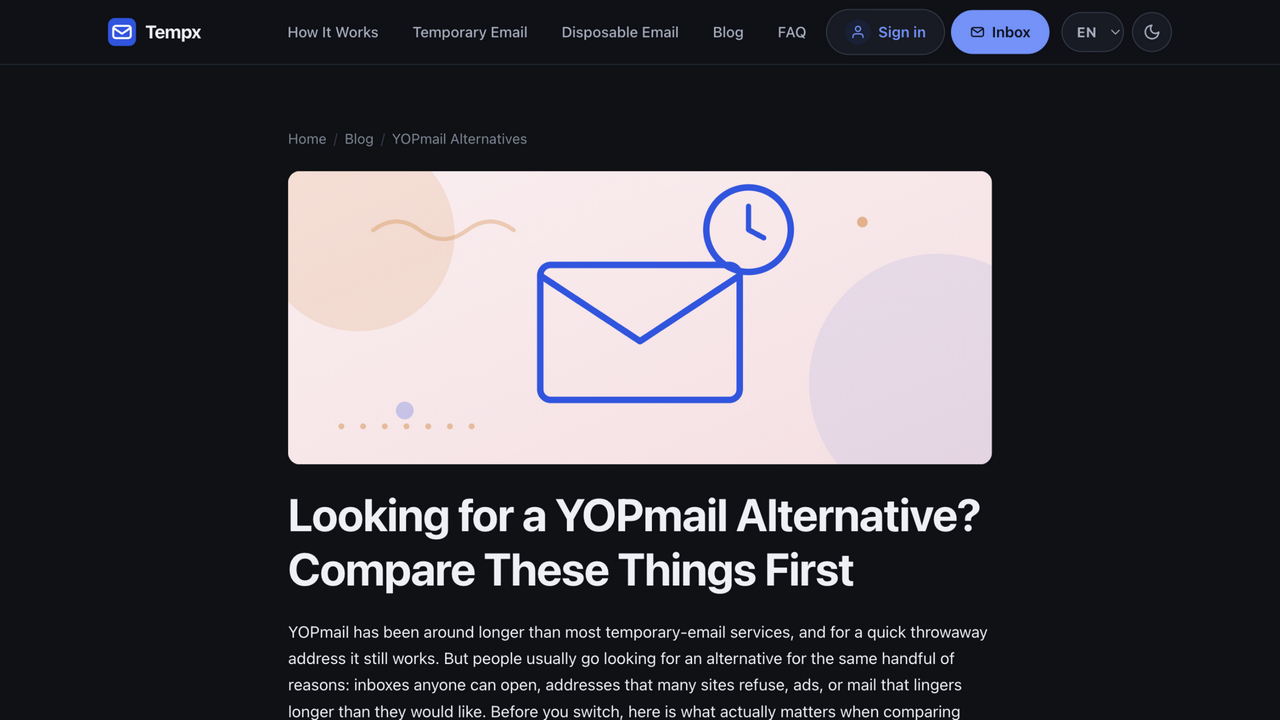
Prefer dark? The same app, one click of the moon icon in the header:
Good to know
- Search and filters. The list has live search plus Unread/Attachments filters, handy once a busy signup session fills the inbox.
- Want the address to last longer? A free account can hold named inboxes with longer retention, send over SMTP, and give coding agents scoped access via MCP.
- Keep it one-way. Anonymous inboxes receive only, they cannot send, which keeps the domains clean enough for signups to accept them.
- Not for keepsakes. Anything you might need next month (orders, account recovery) belongs on an alias or your real address, not here.
That is the entire tool. Open an inbox and follow along, your first address is already waiting.
Step 6. Let go: what expiry means for you
The tutorial's last step is doing nothing. A private inbox lives for an hour from creation; a named inbox keeps mail for seven days; then everything is deleted automatically. There is no "save this address" button, and that is the product working as intended, the address existed to receive one handshake, and the handshake is complete. If a mail you need later (a receipt, a return label) arrived in a disposable inbox, forward or copy it somewhere durable while the inbox is alive; expiry does not negotiate.
The clock has a practical rhythm: verification codes and welcome mails arrive within moments, so the hour window is enormous for the intended job. People trip by treating the inbox like an account, signing up for a service they will still want next month, then needing a password reset the inbox can no longer receive. The one-second check before pasting the address: "will I need mail from this sender past this week?" If yes, use a real address; if no, carry on.
The controls you will use
- New Address, a fresh inbox on the spot. Use it when a form has already seen the previous address, or when you want a clean separation between two signups.
- Named inboxes, pick your own local part instead of the generated one. Convenient for reading a mailbox by name later; remember the trade: anyone who knows the name can read it too.
- Private Access, the token-guarded kind of inbox, readable only in your browser session. This is the right default the moment a mail contains anything slightly sensitive.
- Attachments and HTML, rendered inline, sanitized, with remote images controllable per message. PDFs and images open normally; executables are refused outright.
- Copy to clipboard, the icon beside the address; also works in the toolbar once an inbox is open, so you never retype an address.
None of these settings interact or need configuration, the tool is deliberately shallow. The depth, if you want it, is one level down: an account adds named inboxes that persist across devices, SMTP credentials for testing your own app's outgoing mail, and the MCP server that lets an AI agent read an inbox on your behalf.
When something does not arrive
Three causes cover nearly every "where is my mail" moment. The blocklist: the site you signed up at refuses disposable domains, nothing arrives, ever, and no inbox setting changes that; the fix is a different domain for the same inbox (Tempx runs several) or a real address. The typo: the address on the form and the address in the address bar differ by one character; the mail exists, though not where you are looking. The slow sender: first mail to a fresh address can take longer than you expect; give it a minute before concluding anything.
If mail arrives but looks wrong (links that do not work, an attachment that will not open) the message view shows what was sent: the sanitized render plus the underlying structure. The MIME decoder and header analyzer tools take the same message apart in detail, which answers most "is it them or me" questions without a support ticket.
Small conveniences worth knowing
The last ten percent of the flow is keyboard and mobile ergonomics. On desktop, the address is click-to-copy from the toolbar once an inbox is open, no selecting, no precision pointing. On mobile, the inbox page is deliberately app-shaped: messages open full-screen, the copy control sits beside the address where a thumb reaches it, and pasting into another app's signup form is the standard long-press. Nothing syncs or installs, the same URL on any device is the same inbox (for named addresses), which is the entire cross-device story.
Two habits close the loop: paste (never type) the address into forms (the classic "where is my mail" cause is a one-character typo, and pasting eliminates it), and keep the inbox tab adjacent to the signup tab so the arrival is visible in your peripheral vision rather than requiring a pilgrimage.
Try it with your next signup
Free, instant, no sign-up, messages auto-delete when you are done.
Go to your inbox